PasteBucket
The clipboard your computer should have shipped with.
The clipboard has held exactly one thing since 1974. PasteBucket fixes that: hold Ctrl+C and everything you copy stacks up in order — press Ctrl+V and it pours back out in order. Nothing to learn, nothing to configure.
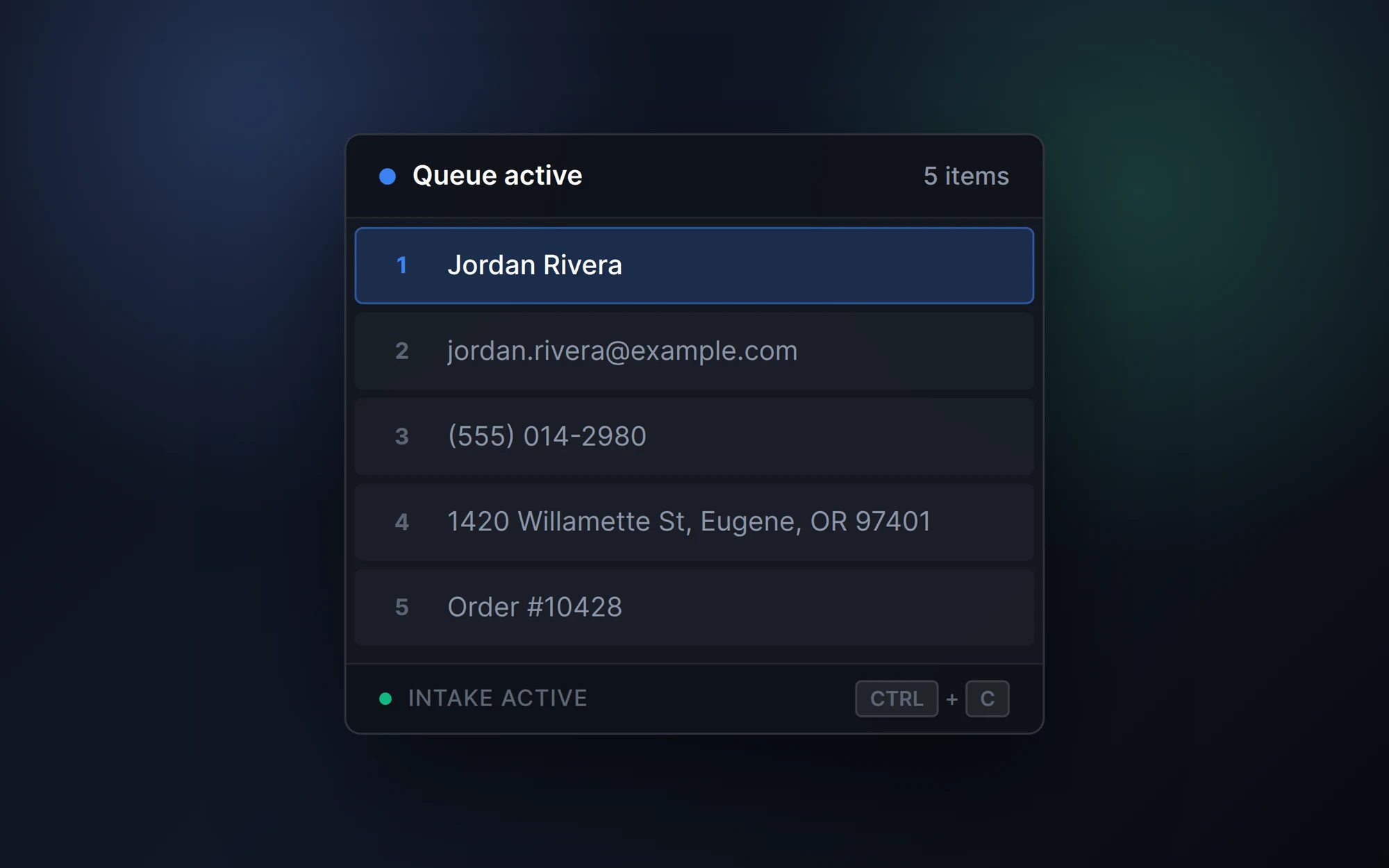
Copy. Queue. Paste. Repeat.
Arm the queue
Tap Ctrl+C and it behaves exactly like always. Hold it for a beat and PasteBucket arms — every copy now stacks instead of overwriting.
Stack everything
Keep copying. A small tray HUD shows the live queue, numbered in order, with the next item to paste highlighted.
Pour it back out
Each paste releases the next item in FIFO order. Work through the whole queue without ever losing your place.
Small, sharp, local.
Hold Ctrl+C to stack
Hold the key you already use; each copy adds to the queue instead of replacing the last.
Ctrl+V pastes FIFO
Items come back out in the order you copied them — the next one is always queued and highlighted.
Tray-native HUD
No window to manage. A layered Win32 HUD renders the queue and stays out of your way.
80ms snap animations
Pure RGBA, solid borders, no blur — instant, native-feeling motion drawn straight into the window.
Clean clipboard hygiene
Transient writes are flagged to skip clipboard managers, and nothing about your clips is logged.
Local-first, no account
Open it and go. No sign-up, no cloud — what you copy never leaves your machine.
Built from a real annoyance.
I copy and paste all day. Between code, docs, prompts, and configs, I was constantly losing track of what I'd copied and what still needed to go where. PasteBucket is the simple queue I wished existed — hold Ctrl+C to stack, Ctrl+V to pour it back out. No accounts, no cloud, just a list you paste through.
PasteBucket is coming soon.
Want to know when it's ready? Drop a note.
Join the waitlistBuilt by SEMMAP Labs